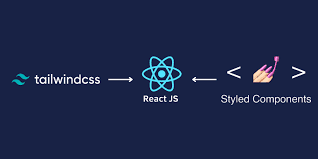
🎨 Styling in React Is a Big Deal
Your app's look and feel matter just as much as the logic. But how you style — plain CSS, utility classes, or JS-in-CSS — can totally change how fast and clean you work.
🔷 Option 1: CSS / SCSS Files
The OG way. Use .css or .scss files and import them into components. Easy to understand, great for beginners.
// Button.css
.button {
  background-color: #00bfff;
  padding: 10px 20px;
  border-radius: 8px;
}
Pros: Clear separation. Works everywhere.
Cons: Can get messy with global styles.
🐚 Option 2: Tailwind CSS
A utility-first CSS framework. You write styles as class names — fast, responsive, mobile-first out of the box.
<button className="bg-blue-500 text-white px-4 py-2 rounded">
  Click me
</button>
Pros: Fast prototyping. Clean file structure. Responsive built-in.
Cons: Ugly JSX for some people. Learning curve at first.
🎯 Option 3: Styled Components
Write actual CSS inside your JS files. Great for scoped styles, themes, and dynamic styling.
import styled from 'styled-components';

const Button = styled.button`
  background: #00bfff;
  color: white;
  padding: 10px;
  border-radius: 8px;
`;

<Button>Click me</Button>
Pros: Component-based, scoped styles. Theming is 🔥
Cons: Heavier bundle size. Can feel weird mixing CSS with JS.
📌 Which One Should You Use?
- 🏁 Beginners: Start with regular CSS or SCSS
- 🚀 Speed-focused devs: Tailwind all the way
- 🎯 Component-driven UIs: Styled-components or Emotion
At the end of the day, pick what makes you faster and more consistent. There’s no wrong answer — only personal preference + project needs.